
TriNetra Platform · Exposure & Risk
Find what you're exposing — before attackers do.
ASM starts with a request, not a black-box crawl: you tell it exactly what to scan — a domain, an IP range, an ASN, or a cloud account — our security team reviews and approves it, and only then does anything run. Nothing scans without your scope confirmed first.

The problem
Most organizations don't actually know their own internet footprint. Subsidiaries spin up cloud accounts without central IT's knowledge, developers stand up test environments and forget to tear them down, M&A drags in infrastructure nobody inventoried, and shadow IT accumulates quietly for years. Whatever nobody's watching is exactly what an attacker finds first — and a spreadsheet updated at the last audit doesn't help, because it was already stale the day it was saved.
How Attack Surface Management answers it
ASM's Dashboard opens on an exposure-posture ring and KPI tiles for the numbers that actually matter to an attacker — Subdomain Takeovers, Exposed Login Portals, Secrets Exposed, Weak TLS Hosts — alongside a Most Exposed Targets list and a Threat Posture radar. Every target gets there through Request a Scan: Add Target for a domain, IP, or ASN, or Cloud Target for a cloud/SaaS account across a 4-step wizard. Nothing scans until it's approved. Once running, the Scans tab tracks every pipeline state with an attributable trigger, and the Subdomains tab holds a living inventory that updates itself.
How it works
Request a Scan — the real flow
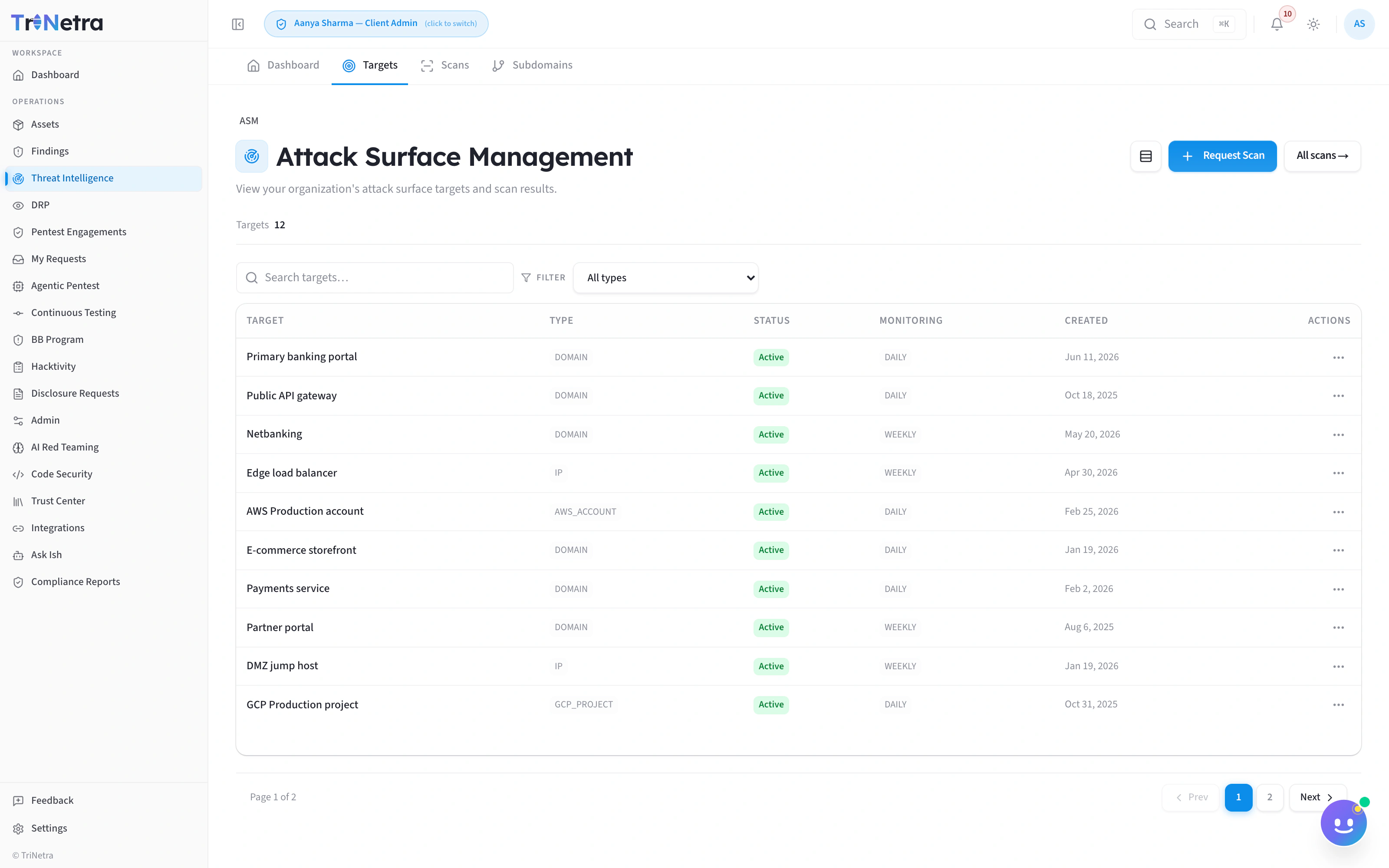
Two of ASM's real tabs — the onboarded target inventory, and every scan tracked through its pipeline state with a trigger column (Scheduled, Manual, or Webhook) so nothing runs as a mystery cron job.
Add Target
Domain / IP / ASN
Pick the target type before entering a value.
Target Value
The domain, IP range, or ASN to onboard.
Monitoring schedule
Choose the default scan cadence for this target.
Freshness SLA override
Optional — override the default cadence for this specific target.
Note for reviewer
Optional — context for the security team approving the request.
“Submit a target for review — our security team approves and runs the scan.”
Cloud Target — 4-step wizard
Capabilities
What ships in the box
Nothing scans without approval
A freshness SLA per target, not one global setting
12 cloud and SaaS providers, one wizard
Every scan is attributable
A subdomain inventory with a monitor toggle per row
The Threat Posture radar
KPIs that mean something
Works with
Stronger together
Digital Risk Protection
PTaaS
Bug Bounty
Ish
FAQ
Common questions
Do I need to wait for approval before every scan?
Only the first time a target is onboarded. Add Target and Cloud Target both route through a review-and-approve step before anything runs — after that, the target scans on its configured schedule, or on demand via "Scan ad-hoc" from the Subdomains tab.
What can I actually onboard?
Domain, IP, or ASN on the Add Target tab, or a cloud/SaaS account on the Cloud Target tab across 12 providers: AWS, Azure, GCP, Kubernetes, GitHub, Microsoft 365, MongoDB Atlas, Google Workspace, Infrastructure as Code, Container Registry, Oracle Cloud, and Alibaba Cloud.
Can different targets have different scan cadences?
Yes — the Add Target tab's monitoring-schedule dropdown plus its Freshness SLA override let you set cadence per target, not one setting for the whole account.
How do I know why a particular scan ran?
The Scans tab shows a trigger column on every scan — Scheduled, Manual, or Webhook — so it's always attributable, never a mystery.
See your real attack surface — all of it.
Tell SecurityBoat your primary domain. We'll walk you through the Request a Scan flow on your own scope — Add Target or Cloud Target — and show you what TriNetra ASM discovers within days.
Related: Digital Risk Protection · PTaaS · Bug Bounty · Ish