
TriNetra · Trust
Your security questionnaire answer, self-serve.
Trust Center is a governed document library where prospects, customers, and auditors get your pentest attestations, compliance reports, policies, and certifications — on your terms. Public documents are one click away; sensitive ones sit behind an approval workflow; every view, request, and decision is logged.
The problem
Security review is the slowest mile of an enterprise deal — and the messiest. The evidence a buyer needs is scattered across folders and inboxes, sensitive reports get emailed ad hoc with no approval trail, and nobody can say with certainty who has a copy of what. The team ends up re-answering the same questions deal after deal.
How Trust Center answers it
Trust Center puts every security document in one governed library — organized into Compliance, Pentest Reports, Policies, and Certifications — and lets you decide, document by document, what's public and what's gated. Buyers self-serve the public material; sensitive documents require an access request your team explicitly approves or denies. Every step lands in a full audit trail, and engagement analytics show you which documents get viewed, which get requested, and which requests get approved — so sharing evidence becomes a controlled process, not an email thread.
How it works
The workflow, end to end
- 01
Centralize
Every security document moves into one library, organized into four categories: Compliance, Pentest Reports, Policies, and Certifications. One current version of each — no more stale copies in circulation.
- 02
Publish
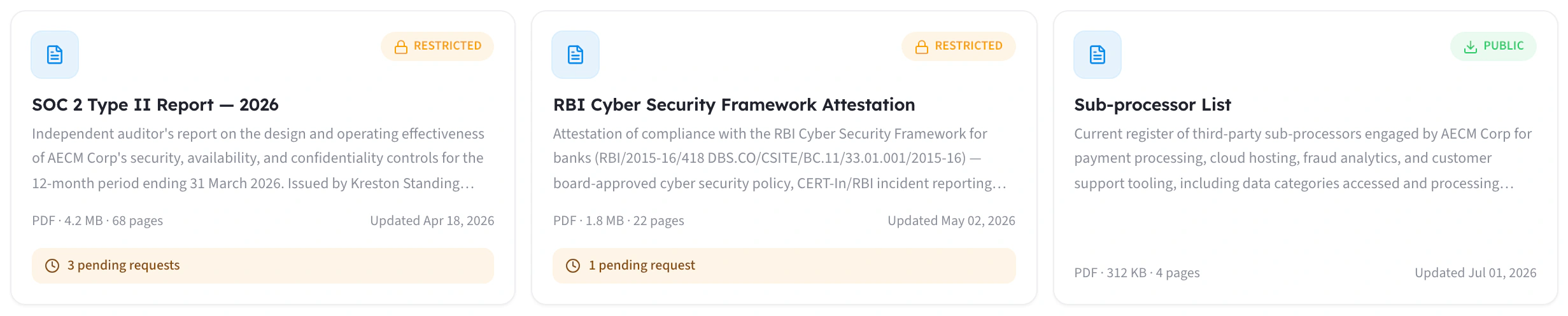
You decide each document's state: public and self-serve, or restricted and gated behind a request. The choice is per-document, and reversible.
- 03
Request
A prospect, customer, or auditor hits a restricted document and submits an access request in the portal — name, company, and reason — instead of emailing someone who forwards it to someone else.
- 04
Approve
Your team reviews each request and approves or denies it deliberately — a governed decision, not whoever answers the inbox first.
- 05
Audit
Every view, request, approval, and denial is captured in a full audit trail — who, what document, what decision, when.
- 06
Measure
Engagement analytics show which documents get viewed most, which get requested, and how requests convert — a live read on what buyers actually check.
Capabilities
What ships in the box
Four-category document library
Public or restricted — your call, per document
Access-request approval workflow
Full audit trail
Engagement analytics
A front door for security reviews
Inside the product
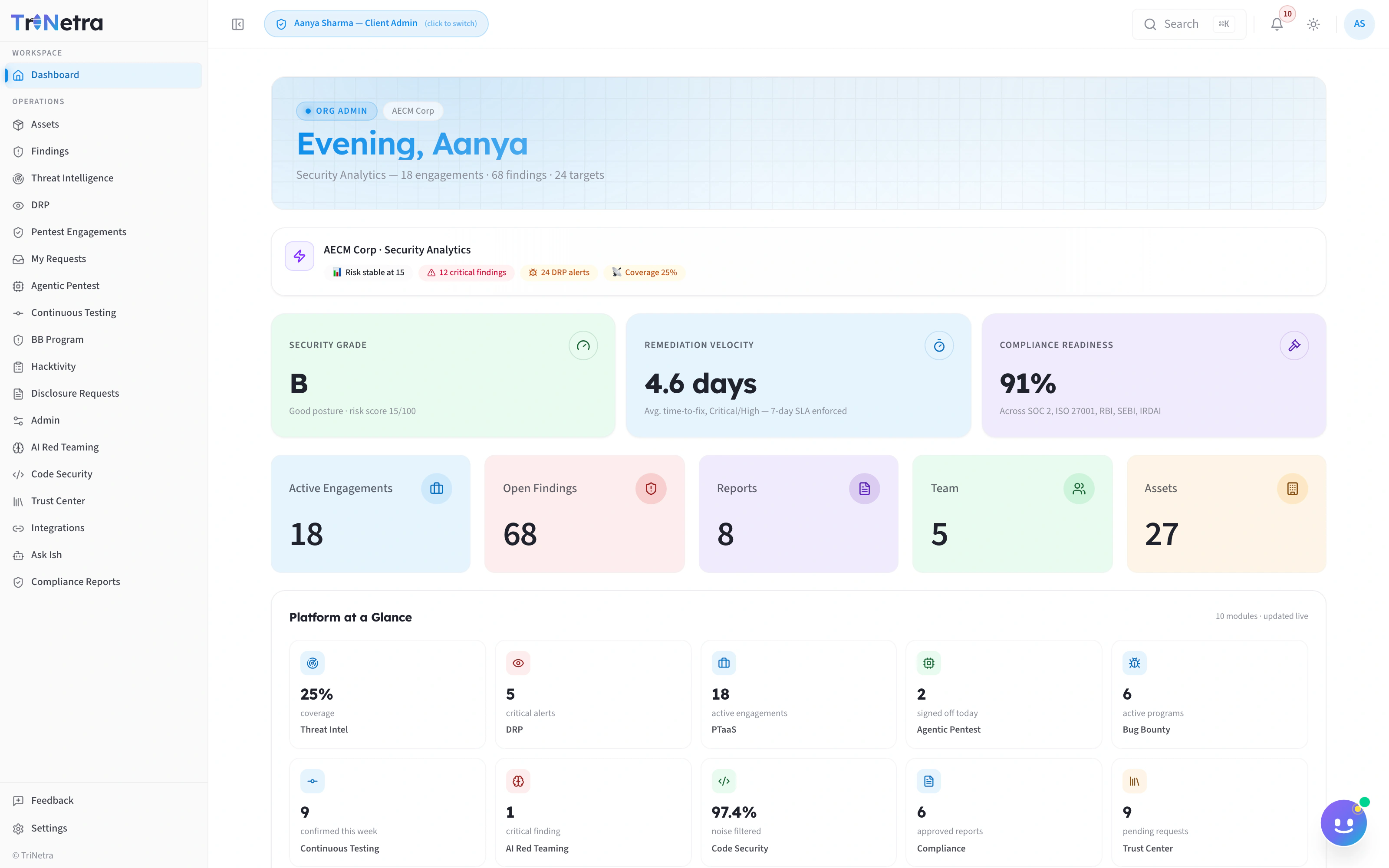
What you actually see
FAQ
Common questions
Is this a public badge wall?
No — it's a governed document library. You choose exactly which documents are public and which require an approved request, and every access lands in the audit trail either way. Evidence over icons.
Does Trust Center monitor our security posture automatically?
No. Trust Center shares the evidence you already hold — it doesn't generate or test it. Pair it with Continuous Controls Validation, which produces compliance-mapped reports from live engagement data that drop straight into your library.
Who decides which requests get approved?
Your team, in the portal. Each request arrives with the requester's name, company, and reason, and moves through explicit states — Requested, In Review, Approved, or Denied. No document leaves the library without a deliberate decision.
What exactly gets logged?
Everything that touches a document: every view, every access request, and every approval or denial — with requester, document, action, and timestamp. The same trail also powers your engagement analytics, including most-viewed documents and the view → request → approve funnel.
Share evidence on your terms.
Bring the last security questionnaire that stalled a deal. We'll show you how a Trust Center answers most of it before anyone emails your team.
Related: PTaaS · Continuous Controls Validation