TriNetra · Offensive Testing
Request a pentest. Watch every state of it happen.
TriNetra PTaaS turns the annual pentest into a service you can see moving — a request form that becomes a trackable engagement, a 12-state lifecycle from Requested to Closed, and findings published to your dashboard the moment they're verified, not held for a final PDF.
The problem
Traditional pentesting means weeks of scheduling emails, tester quality that varies engagement to engagement, and a single static report at the very end — so remediation can't start until testing is over, and you don't learn whether the fix held until next year's engagement.
How PTaaS answers it
You request an engagement in-platform, the SB1 team reviews and scopes it, a matched team forms, and testing runs through a fully visible 12-state lifecycle with findings streaming to your dashboard as they're verified — then an enforced retest loop confirms the fix actually worked, inside the same engagement.
How it actually works
Request the engagement, then watch it move
Asset
Pick the asset to test from your inventory.
Engagement type
Web, API, mobile, cloud, network, or something stranger.
Title
Name the engagement.
Description
A rich-text editor for anything the asset picker can't capture.
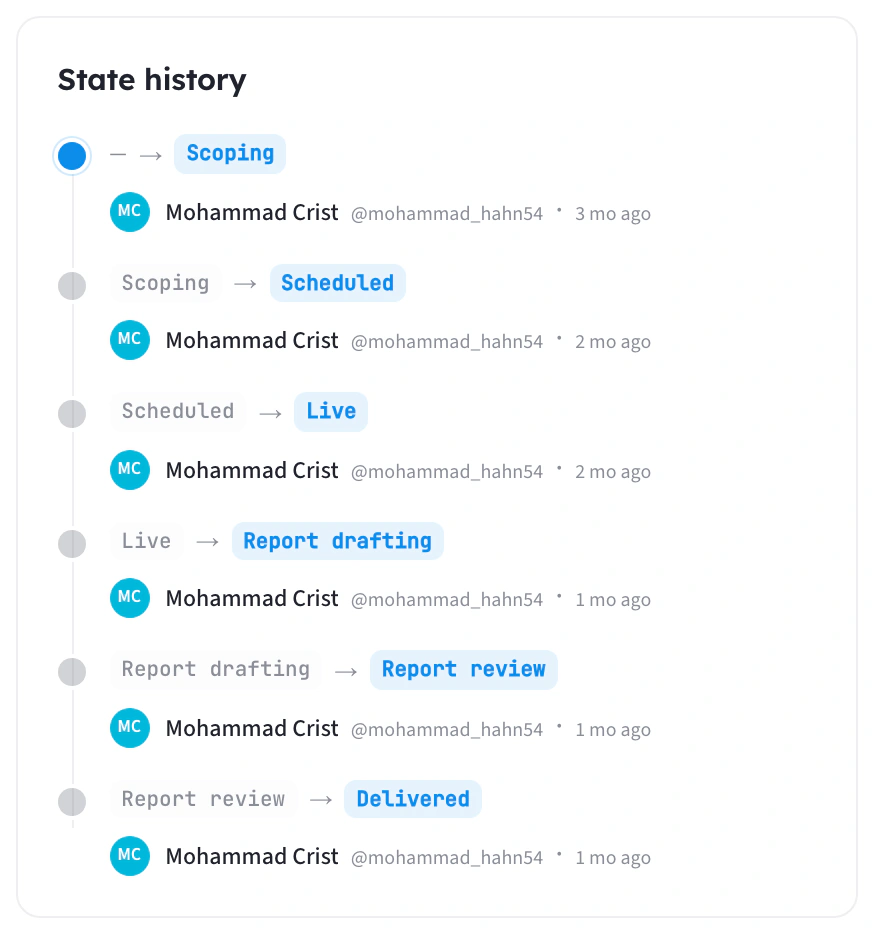
- 1ReviewThe SB1 team reviews scope and feasibility, typically within 1 business day.
- 2Scoping callA call confirms scope, environment, access, and dates.
- 3ApprovalThe request becomes a trackable Draft engagement.
- 4DeliveryLive testing → findings → Pre-Final → Final → Post-Retest report.
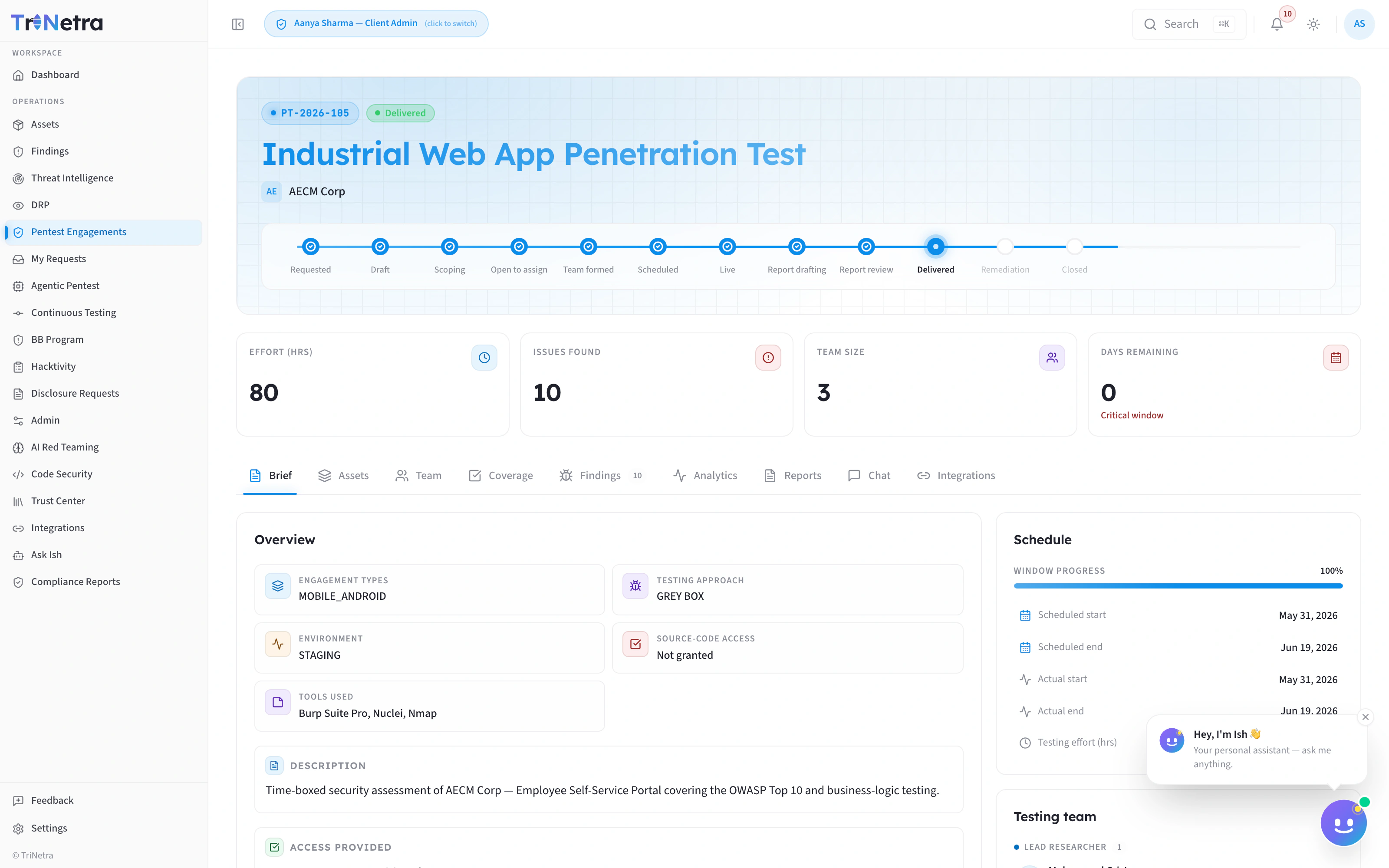
Twelve explicit states, start to close
- Requested
- Draft
- Scoping
- Open to assign
- Team formed
- Scheduled
- Live
- Report drafting
- Report review
- Delivered
- Remediation
- Closed
TriNetra's real 12-state engagement lifecycle — recreated for legibility; live product view below.
- 80
- Effort (hrs)
- 6
- Issues Found
- 3
- Team Size
- 0
- Days Remaining
Nine tabs hold everything about the engagement
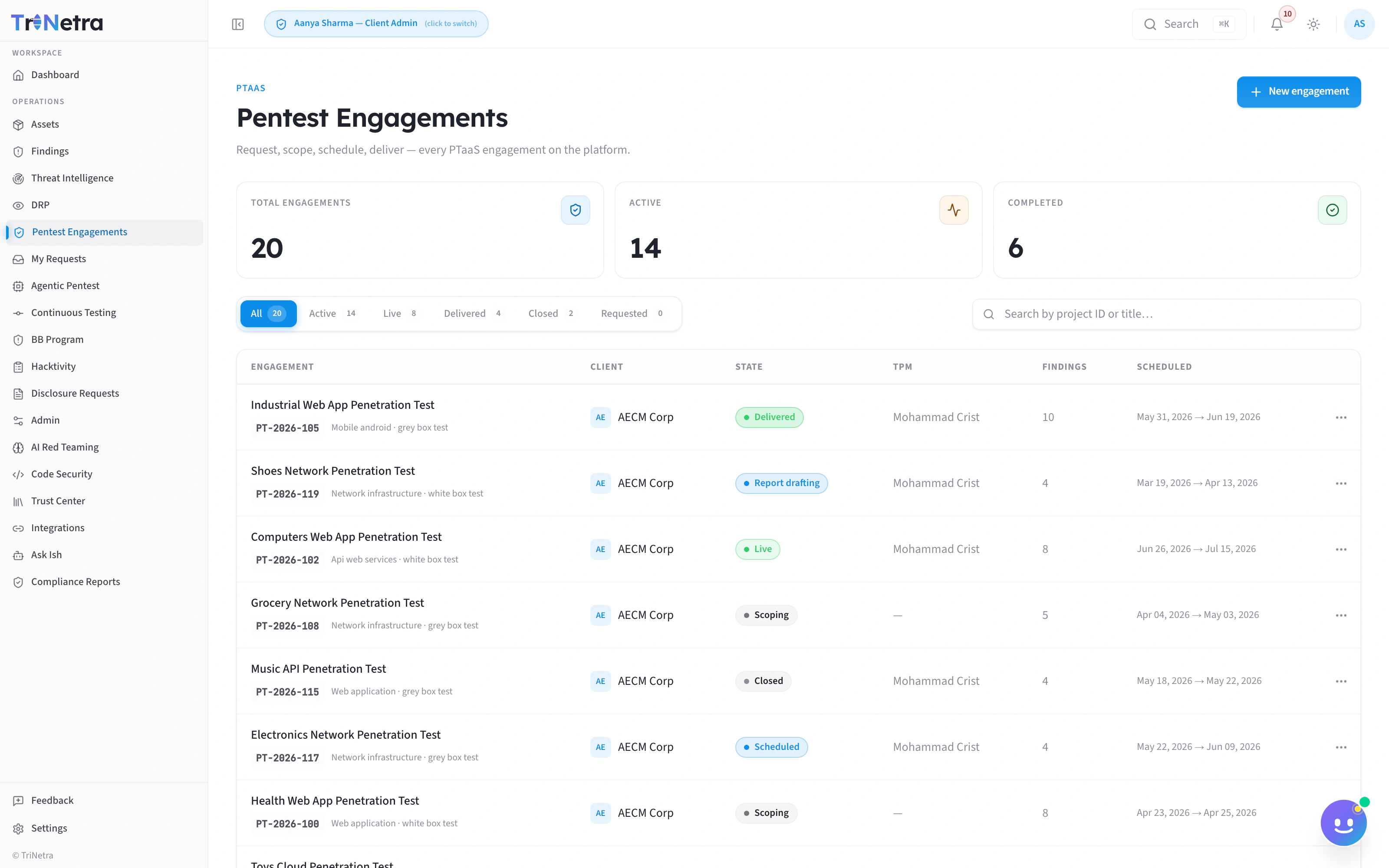
Every engagement, one list
Capabilities
What ships in the box
A 12-state lifecycle you can see
A real request-to-approval flow
Nine tabs, one engagement
Methodology coverage you can measure
Findings with a 7-state stepper and full CVSS
Pre-live visibility without spoiling detail
Works with
Stronger together
Ish
Agentic Pentest
Continuous Testing
Bug Bounty
FAQ
Common questions
How fast can an engagement start?
You submit the request form in-platform; the SB1 team reviews within 1 business day, a scoping call confirms details, and approval turns it into a trackable Draft engagement — no email chains.
Do we see findings as they're found?
Every finding is visible on the Findings tab moving through its own 7-state stepper the moment it's verified — pre-verification triage stays internal.
What exactly is in a finding?
A decomposed CVSS score with the full vector string, classification (type, asset type, CWE), affected endpoint, business impact, remediation guidance, raw HTTP request/response, and a numbered proof-of-concept — plus a comments thread for back-and-forth with the researcher.
How do we know testing was thorough?
The Coverage tab tracks methodology coverage against a named framework in real time, and the Analytics tab rolls that up alongside severity breakdown and the lifecycle state funnel at close-out.
Retire the annual PDF.
Tell us what needs testing — web, API, mobile, cloud, network, or something stranger — and we'll walk you through the request form on a call.
Related: Ish · Agentic Pentest · Continuous Testing · Bug Bounty